.svg)



What is Automated Workforce Management in Construction?
Automated workforce management in construction is the use of integrated digital platforms to manage onboarding, compliance, access control, labor tracking and workforce analytics in real time across jobsites.
Why Workforce Management Is Still Manual in Construction
Despite rapid advances in construction technology, workforce management on many jobsites remains manual. Paper sign-in sheets, spreadsheets, disconnected badge systems, and manual compliance checks are still common—even on large-scale data center and mission-critical projects.
General contractors (GCs) and owners manage thousands of workers across multiple trades, often under tight schedules and strict safety standards. Yet workforce data is scattered across systems that don’t talk to each other. As a result, leaders lack real-time workforce visibility for GCs, struggle with labor tracking and productivity, and spend valuable time on administrative tasks.
In an industry where margins are tight and delays are costly, manual processes create unnecessary risk. That’s why more construction leaders are exploring the business case for automating workforce management.
The Hidden Costs of Manual Workforce Processes
Manual workforce processes rarely show up as a line item in a budget. However, their costs accumulate quickly.
- Administrative Overload
Project teams spend hours each week onboarding workers, verifying certifications, managing badging, and reconciling time records. This labor could be redirected toward higher-value tasks. - Inaccurate Labor Tracking and Productivity Data
Without automated systems, labor hours are often estimated or manually entered. This leads to unreliable data and makes it difficult to measure true productivity. - Compliance Gaps
Tracking certifications, OSHA training, background checks, and site-specific requirements manually increases the risk of non-compliance. - Limited Workforce Analytics in Construction
When data lives in spreadsheets, insights are delayed—or lost entirely. Leaders can’t quickly analyze trends across trades, zones, or projects.
Over time, these inefficiencies reduce construction project efficiency and erode profitability.
Why Workforce Management Is Still Manual in Construction
Manual systems might work on small projects. However, they break down at scale.
Large data center builds and multi-site programs introduce:
- Thousands of workers across multiple shifts
- High turnover and subcontractor rotation
- Strict security and compliance requirements
- Multi-state or multi-region operations
At this level, spreadsheets and manual badge checks cannot support automated workforce management for general contractors. Delays in onboarding or compliance verification can halt crews. Limited visibility makes it hard to forecast labor shortages. And inconsistent processes across sites create risk.
Simply put, scale demands automation.
What Workforce Platform Management Actually Includes
Workforce platform management goes beyond time tracking. It connects onboarding, access control, compliance, and analytics into one system.
Instead of disconnected tools, a unified workforce management software for construction centralizes:
- Worker profiles and certifications
- Digital onboarding workflows
- Site access permissions
- Labor hours and zone activity
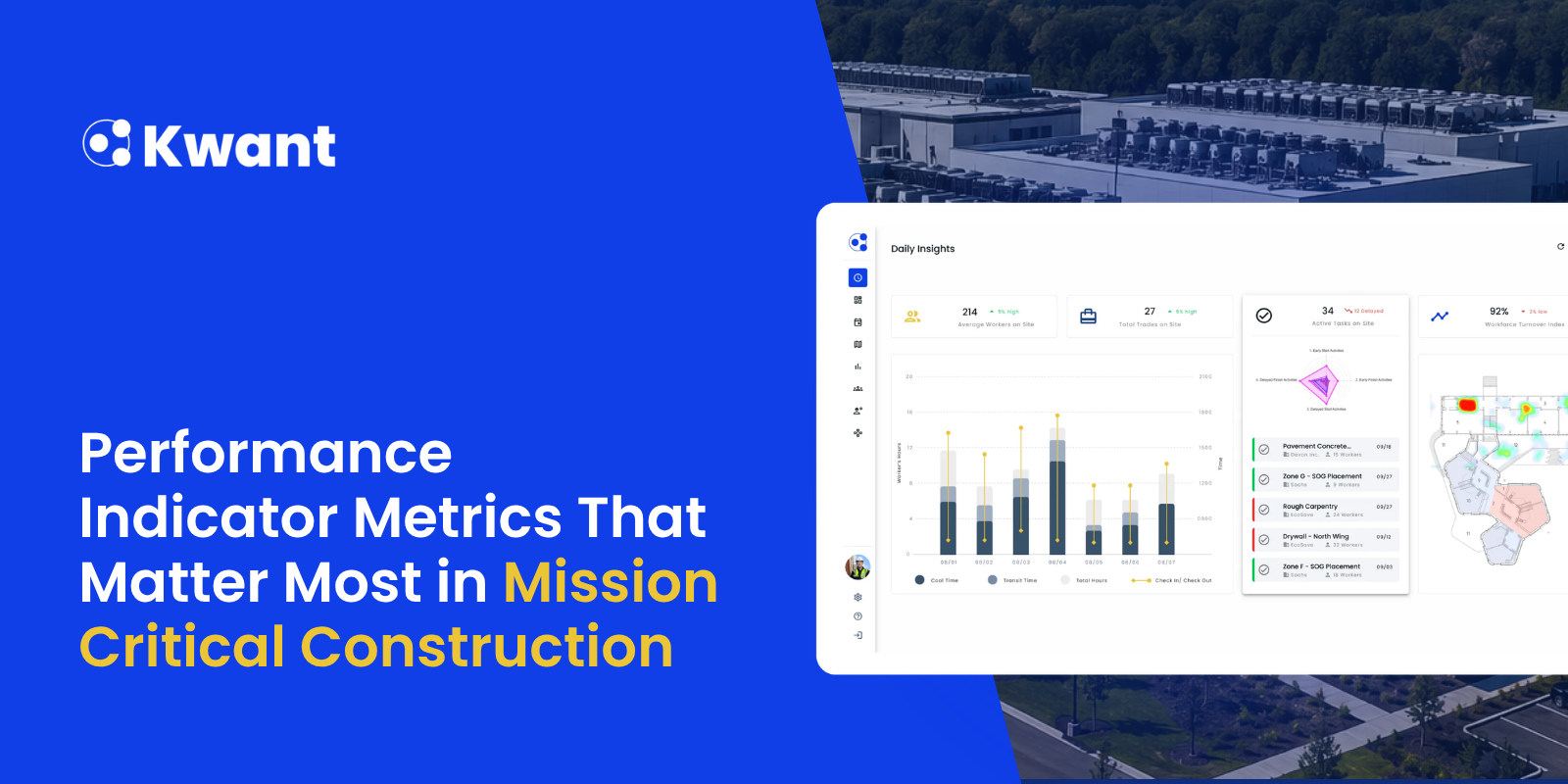
- Real-time dashboards and reporting
This integration enables real-time workforce visibility for GCs and owners, allowing them to make informed decisions quickly.
Automating Digital Onboarding and Worker Verification
Traditional onboarding often involves paperwork, in-person document checks, and manual data entry. This slows mobilization and increases the risk of errors.
By automating digital onboarding:
- Workers upload documents before arriving onsite
- Certifications are verified automatically
- Orientation modules are completed digitally
- Worker profiles are stored centrally
As a result, digital onboarding helps crews to mobilize faster. Administrative teams reduce paperwork. Most importantly, projects maintain compliance from day one.
Automating Access Control and Site Entry
Manual check-ins and visual badge inspections create bottlenecks and security risks.
Automated access control systems integrate with workforce platforms to:
- Restrict entry to authorized workers
- Prevent expired certifications from accessing the site
- Track entry and exit times automatically
- Reduce tailgating and badge sharing
This not only improves security on data center and mission-critical sites, but also strengthens labor tracking and productivity reporting by capturing accurate time data at the point of entry.
Real-Time Certification and Compliance Tracking
Compliance requirements in construction are complex and constantly changing. Manual tracking increases the likelihood of oversight.
With automated workforce management:
- Certification expirations trigger alerts
- Non-compliant workers are flagged instantly
- Project teams access audit-ready reports in seconds
- Owners gain transparency across contractors
Instead of reacting to compliance issues, teams can proactively manage them.
Workforce Visibility and Data-Driven Decision Making
Real-time workforce visibility for GCs is one of the most valuable outcomes of automation.
When labor data is captured automatically, leaders can:
- Monitor headcount by trade and zone
- Compare planned vs. actual labor hours
- Identify productivity trends
- Forecast labor needs
- Detect congestion or understaffing
Workforce analytics in construction transforms raw labor data into actionable insights. This supports better scheduling, resource allocation, and risk mitigation.
Ultimately, visibility drives accountability and performance.
Reducing Risk, Delays, and Administrative Overhead
Automation reduces risk in several ways:
- Fewer compliance violations
- Improved safety oversight
- Reduced onboarding delays
- Clear audit trails
- Faster incident response
In addition, construction project efficiency tools that integrate workforce data eliminate redundant data entry and manual reporting.
Project teams spend less time managing paperwork and more time managing the build through data-driven decision making.
The Financial Impact: ROI of Workforce Automation in Construction
The business case for automating workforce management becomes clear when evaluating return on investment.
Financial benefits typically include:
- Reduced administrative labor costs
- Lower compliance penalties
- Fewer schedule delays
- Improved labor productivity
- Better forecasting accuracy
For large-scale programs, even a small percentage improvement in labor efficiency, reduced schedule delays, and forecast accuracy can translate into significant savings.
Moreover, accurate labor tracking and productivity data improves cost control and strengthens margin protection.
Scaling Workforce Operations Across Projects and Regions with Consistency
As general contractors expand across regions, maintaining consistent workforce processes becomes difficult.
Automation enables standardized workflows across:
- Multiple projects
- Different states with varying regulations
- Diverse subcontractor networks
This standardized workflow across projects ensures that compliance, onboarding, and reporting standards remain uniform. Leaders gain centralized oversight while allowing site teams to operate efficiently.
Scaling becomes repeatable instead of reactive.
Real-World Scenario: Before and After Automation
Before Automation
A data center project manages onboarding manually. Workers wait in line to submit paperwork. Certifications are verified by hand. Headcounts are estimated. Compliance reports require hours of compilation. Leadership receives weekly updates, often outdated.
After Automation
Workers complete onboarding digitally before arriving onsite. Access control ensures only compliant workers enter. Real-time dashboards show headcount by trade and shift. Certification expirations trigger alerts. Leadership accesses live workforce analytics construction data from anywhere.
The difference is not just operational—it’s strategic.
Why Automation Is Becoming a Competitive Advantage
Owners and developers increasingly expect transparency, accountability, and data-driven performance.
General contractors who adopt automated workforce management for general contractors can:
- Provide real-time workforce reporting
- Demonstrate compliance rigor
- Improve schedule predictability
- Reduce risk exposure
- Differentiate in competitive bids
Automation is no longer optional for complex builds. It is becoming a competitive advantage.
Conclusion: Building the Business Case for Workforce Platform Adoption
The business case for automating workforce management is rooted in efficiency, risk reduction, and data visibility.
Manual processes limit scalability, obscure productivity insights, and increase compliance risk. In contrast, modern workforce management software for construction integrates onboarding, access control, compliance, and analytics into a unified system.
For GCs and owners delivering high-stakes projects such as data centers, automation supports better decisions, stronger performance, and measurable financial impact.
Platforms like Kwant demonstrate how integrated workforce management can enhance visibility and control without adding complexity to the jobsite.
As projects grow more complex and margins tighten, the question is no longer whether to automate—but how quickly you can implement a scalable workforce platform strategy.
Ready to explore what automated workforce management could mean for your next project? Connect with our team to learn how to bring real-time visibility, compliance automation, and workforce analytics to your jobsites.
FAQs
1. How does workforce automation improve labor productivity?
Workforce automation improves productivity by providing real-time tracking of labor by trade, zone, and shift. With digital onboarding, integrated access control, and automated time tracking, crews are mobilized efficiently, labor hours are accurately captured, and project teams can monitor productivity trends, forecast labor needs, and prevent congestion or understaffing.
2. Why is compliance tracking important on large construction projects?
Compliance tracking is critical because large-scale projects often involve multiple trades, subcontractors, and strict safety and regulatory requirements. Automated platforms like Kwant.ai alert teams to expired certifications, flag non-compliant workers, and generate audit-ready reports—reducing risk, preventing delays, and ensuring safety and regulatory adherence.
3. What is the ROI of workforce management software?
The return on investment includes reduced administrative labor costs, fewer compliance penalties, improved schedule adherence, higher labor productivity, better forecasting accuracy, and stronger margin protection. Small efficiency gains on large-scale programs translate into significant cost savings while providing executives with real-time workforce insights for faster, data-driven decisions.
4. How does digital onboarding reduce project delays?
Digital onboarding allows workers to upload documents, complete safety orientations, and verify certifications before arriving onsite. This ensures crews are pre-qualified, compliance is enforced from day one, gate congestion is minimized, and mobilization is faster—helping projects stay on schedule and reducing unnecessary delays.

.png)
%20(1).svg)


