.svg)

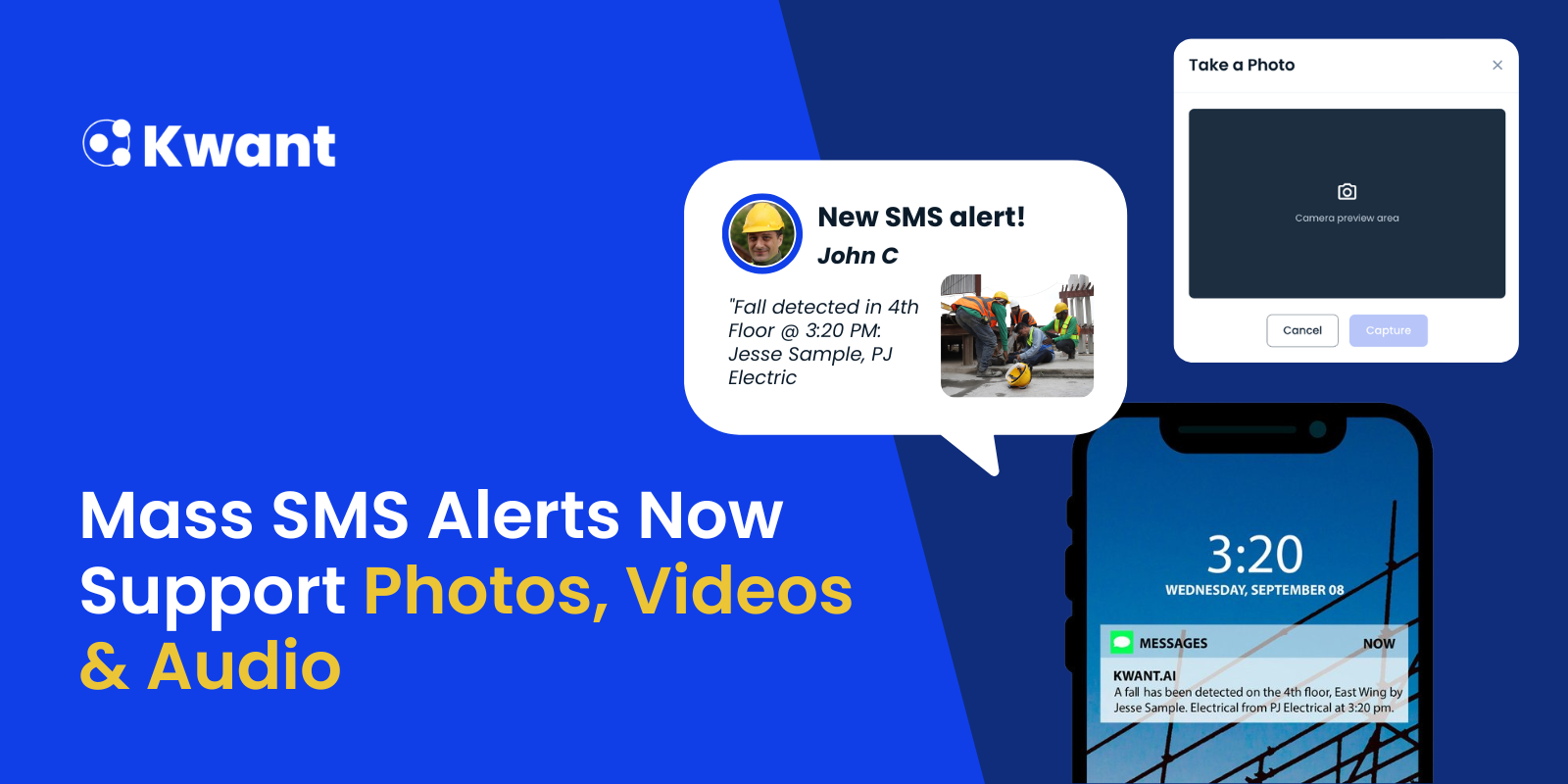


Clear communication is essential on every construction project. Whether teams are responding to severe weather, sharing a safety update, or notifying workers of a site access change, the ability to quickly communicate information can help improve coordination and safety across the jobsite.
That's why we're excited to announce a major enhancement to Kwant's Mass SMS Alerts feature: media attachments are now supported.
Project teams can now send photos, videos, and audio recordings directly through SMS alerts, making it easier to provide workers with the context they need to understand and respond to important site updates.
Even better, because alerts are powered by Kwant's workforce data, teams can quickly target exactly who should receive a message. Whether that's the entire project, workers currently onsite, site foremen, a specific contractor, or even workers who were in a particular zone or building the previous day.
Whether you're sharing a photo of a safety hazard, a short video showing an access route change, or a voice-recorded message from a superintendent, Kwant enables richer communication without requiring workers to download an additional mobile app.
What's New?
Mass SMS Alerts now support the following media attachments:
.png)
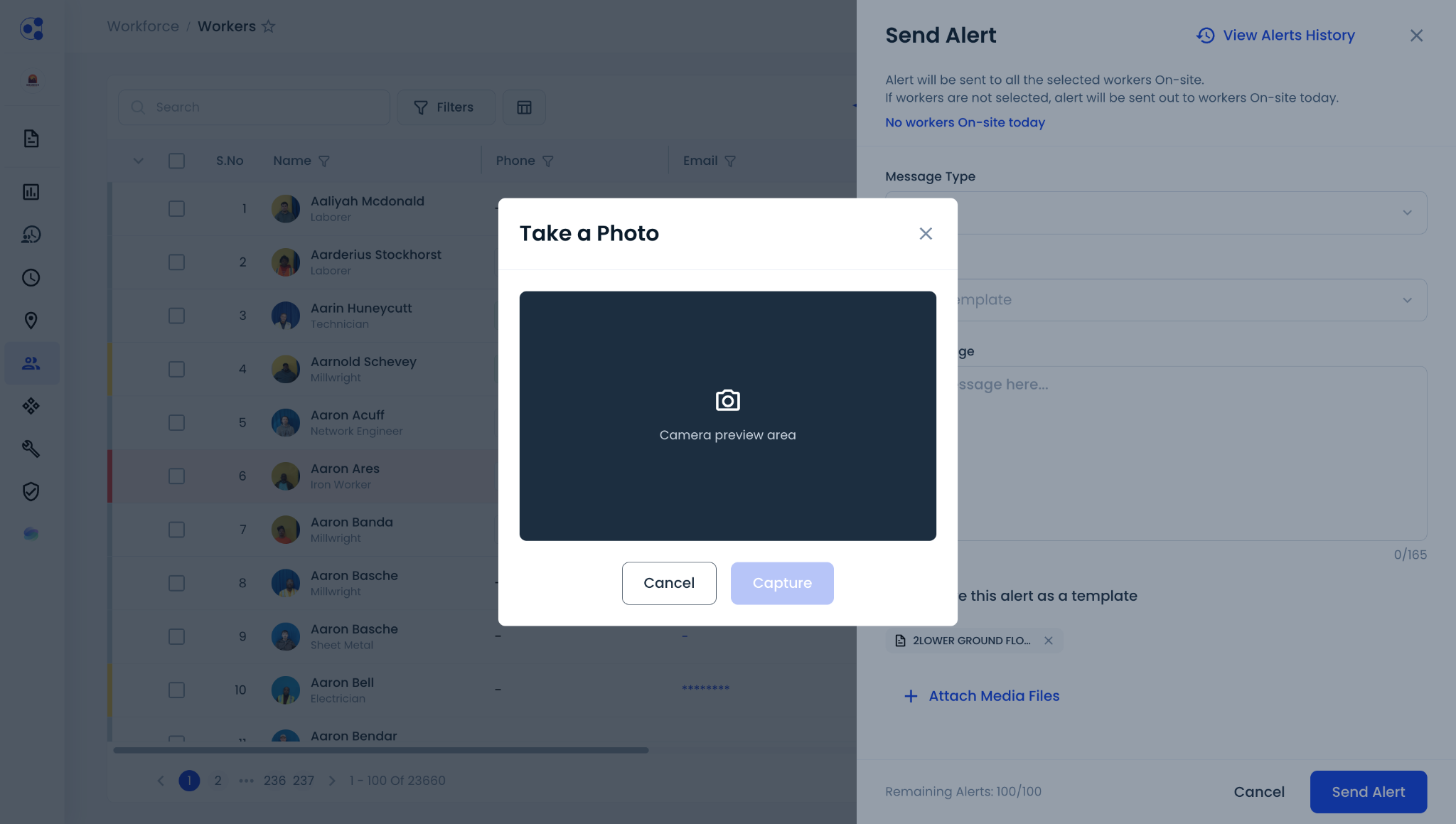
Users can either upload pre-recorded media files or record audio using their computer's microphone or video using their device's camera directly within Kwant before sending an alert.
When recording media in Kwant, the platform automatically optimizes file size to support SMS delivery. If uploading existing videos, users may need to compress or reduce the file size to meet the 1 MB attachment limit.
This enhancement gives project teams a more effective way to share visual context, voice instructions, and site updates without switching between multiple communication tools.
Why Construction Teams Need Better Workforce Communication
Large construction projects often involve hundreds, or even thousands, of workers spread across multiple contractors, trades, and employers.
When urgent situations arise, safety teams frequently rely on a combination of group chats, emails, phone calls, radios, and third-party messaging applications to communicate with the workforce. These disconnected channels can make it difficult to distribute information consistently and efficiently.
Just as challenging is deciding who should receive the message. Many communication tools lack the workforce intelligence needed to target alerts, forcing teams to manually manage contact lists or send broad messages to everyone.
The challenge becomes even greater when visual information is needed alongside a message.
For example:
- A weather alert may require a photo showing current site conditions.
- A safety notification may need an image of a hazard area.
- A site access change may benefit from a short video demonstrating the new route.
- A superintendent may want to send a brief voice update to field personnel.
Without a centralized communication platform, teams often spend valuable time coordinating information across multiple tools and communication channels.
The Solution: Media-Powered Mass SMS Alerts
Kwant's Send Alert feature gives project teams a centralized way to communicate with workers through SMS, without requiring workers to install an additional application.
Because alerts are connected to Kwant's real-time workforce data, selecting recipients is simple. In just a few clicks, teams can target alerts to:
- Every worker on the project
- Workers currently onsite using real-time attendance data
- Individual contractors or subcontractors
- Site foremen or supervisors
- Workers assigned to a specific building or work zone
- Workers who were in a particular location during a previous shift or day
This makes it easy to communicate with the people who actually need the information, reducing unnecessary notifications while improving message relevance.
With media attachment support, teams can include photos, short videos, and audio recordings alongside alert messages, helping workers better understand site conditions and required actions.
By combining workforce intelligence with rich SMS communication, project teams can deliver more complete information than text-only alerts allow.
Key Benefits
1. Target the Right Workers in Seconds
Use Kwant's workforce filters to quickly communicate with the exact group you need—whether that's everyone onsite, specific contractors, foremen, or workers assigned to a particular location.
2. Communicate Without Requiring an App
Workers receive alerts through SMS, eliminating the need for additional app downloads, user accounts, or onboarding requirements.
3. Add Context to Critical Messages
Photos, audio recordings, and short videos help workers quickly understand site conditions, hazards, and operational updates.
4. Streamline Workforce Communication
Upload pre-recorded media or record audio using your computer's microphone and video using your device's camera directly within Kwant—no need to switch between multiple communication tools.
5. Improve Safety Awareness
Visual and voice-based communication can help reinforce important safety information and site instructions.
6. Centralize Project Communications
Manage workforce alerts from a single platform across multiple contractors and companies.
How Construction Teams Can Use Media Attachments
Media-enabled alerts help project teams communicate more effectively during time-sensitive situations.
1. Photos
Share:
- Safety hazards
- Restricted areas
- Site access changes
- Equipment issues
- Weather conditions
- Incident locations
2. Audio Recordings
Send brief voice messages for:
- Emergency instructions
- Supervisor updates
- Weather notifications
- Daily workforce communications
- Shift-change announcements
3. Short Video Clips
Provide visual guidance for:
- Site condition updates
- Access route changes
- Equipment demonstrations
- Safety reminders
- Emergency guidance
Because video and audio attachments are optimized for SMS delivery, they are best suited for concise, high-impact communications that provide workers with immediate context.
How to Send Photos, Videos & Audio Through Kwant's Mass SMS Alerts?
Step 1: Filter and Select Workers
Navigate to Workforce > Workers.
Use Kwant's workforce filters to quickly select the people you want to notify. In just a few clicks, you can target:
- Everyone on the project
- Workers currently onsite
- Site foremen
- Specific contractors
- Workers assigned to a particular building or work zone
- Workers who were in a specific location during a previous day or shift
.png)
Step 2: Create an Alert
- Click Send Alert.
- Select Alert as the message type.
- Choose an existing template or create a new one.
.png)
Step 3: Attach Media
Click + Attach Media Files.
You can:
- Upload an existing photo, audio recording, or video.
- Record an audio message using your computer's microphone.
- Record a short video using your device's camera.
.png)
Step 4: Send
Review your message and attachments, then click Send Alert.
Selected workers will receive the alert through SMS, with media delivered through supported MMS channels.
.png)
Built for Modern Construction Workforce Communication
Construction teams need communication tools built specifically for the realities of today's jobsites.
With intelligent worker filtering, centralized workforce data, and media-enabled SMS alerts, Kwant makes it easy to communicate with the right people at the right time, without relying on group chats or requiring workers to install another app.
Whether you're notifying everyone onsite about severe weather or sending a quick video update to one contractor working in Building A, Kwant helps simplify communication while improving safety and coordination across the project.
See Media-Powered SMS Alerts in Action
Want to see how construction teams are using Kwant to simplify workforce communication?
Schedule a personalized demo to see how you can:
- Target alerts using real-time workforce data
- Send photos, audio, and video through SMS
- Improve jobsite communication and safety
- Manage contractors from a single platform
- Gain AI-powered workforce insights with WorkforceOS
Book a demo today and discover how Kwant helps construction teams communicate faster, smarter, and with greater precision.
Frequently Asked Questions
1. Can I send alerts to specific groups of workers?
Yes. Using Kwant's workforce filters, you can quickly target alerts to the entire project, workers currently onsite, specific contractors, foremen, or workers assigned to particular locations or historical work areas.
2. What types of media can be attached to a Mass SMS Alert?
Kwant supports:
- Photos up to 5 MB
- Audio files up to 1 MB
- Video files up to 1 MB
3. Can I record audio and video directly in Kwant?
Yes. You can upload pre-recorded media or record audio using your computer's microphone and video using your device's camera directly within Kwant before sending an alert.
4. How long can audio and video recordings be?
When recorded directly within Kwant:
- Audio recordings can be approximately 80 seconds.
- Video recordings can be approximately 20 seconds.
Actual duration may vary depending on content and quality settings.
5. Do workers need to install an app to receive alerts?
No. Workers receive alerts through SMS, allowing project teams to communicate without requiring an additional mobile application.
6. Are media attachments delivered instantly in Kwant's Mass SMS Alert?
Delivery times can vary depending on carrier networks, device capabilities, worker opt-in status, and jobsite connectivity. Kwant provides a centralized way to distribute alerts through SMS and MMS channels.
7. What are common use cases for media-enabled SMS alerts?
Common use cases include severe weather notifications, safety hazard alerts, site access changes, equipment issue reporting, emergency communications, supervisor updates, and daily workforce notifications.


%20(1).svg)


